



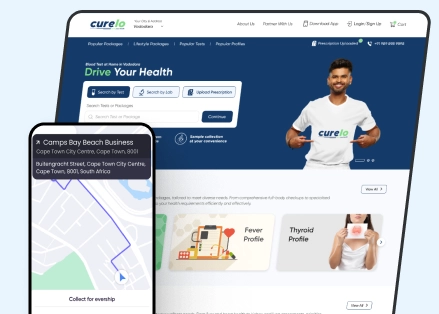
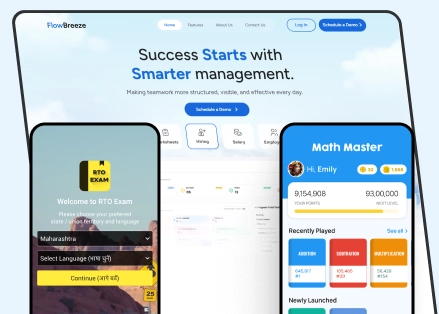


Choosing a mobile app development company in India should involve much more than comparing portfolios, hourly rates and sales presentations.
The right development partner needs to understand your business problem, recommend an appropriate mobile architecture, create a usable interface, build reliable backend systems, test the application properly, protect user data, manage app-store requirements and support the product after launch.
A practical selection process is:
Define your requirements → shortlist relevant companies → verify live work → meet the actual delivery team → evaluate technology and architecture → assess QA and security → compare equivalent proposals → clarify ownership → check references → start with discovery or a controlled milestone where appropriate.
The most important rule is simple:
Choose a company based on what it can demonstrate and how it plans to deliver your app—not merely on what it promises in a proposal.
How do you choose a mobile app development company in India?
Evaluate every shortlisted company against the same criteria:
| Evaluation area | What to check |
|---|---|
| Business understanding | Do they understand the problem before discussing technology? |
| Relevant portfolio | Can you test live apps with comparable complexity? |
| Technical capability | Can they explain native vs cross-platform trade-offs? |
| Backend expertise | Can they build APIs, databases and integrations? |
| UI/UX capability | Do they design around real mobile-user behaviour? |
| Actual project team | Who will really work on your app? |
| Development process | How are requirements, releases and changes managed? |
| QA | Which devices, OS versions and scenarios are tested? |
| Security | How are data, authentication, APIs and dependencies protected? |
| App-store deployment | Who handles Apple and Google Play submissions? |
| Commercial transparency | What is included and excluded from the quote? |
| Ownership | Who owns code, accounts, designs and documentation? |
| Post-launch support | What happens after release? |
The best mobile app company is not automatically the cheapest, largest or most visible agency. It is the company whose capabilities best match your application’s technical and business risks.
1. Define your app requirements before contacting companies
Do not begin vendor selection by searching for technologies.
Begin with the problem.
Instead of writing:
“We need a Flutter app.”
Write:
“Our field technicians need to receive work assignments, capture photos, complete checklists and submit job information from locations where internet connectivity may be unreliable.”
The second description immediately reveals several technical requirements:
- authentication
- different user roles
- local data storage
- camera access
- offline functionality
- synchronization
- conflict handling
- backend APIs
- potentially location services
A development company can then determine whether Flutter, React Native or native development is most appropriate.
Prepare a short project brief
Before requesting proposals, define:
- business objective
- target users
- major user journeys
- required platforms
- core features
- required integrations
- existing systems
- expected user volume
- offline requirements
- security requirements
- data/privacy requirements
- target launch window
- approximate budget
- future roadmap
You do not need a complete software specification.
A competent development company should help turn these requirements into one.
2. Build a shortlist based on relevant experience
Do not shortlist companies simply because they appear for “mobile app development company India.”
First identify whether they have relevant capability.
If you are still at the discovery stage, you can use a curated comparison such as Pavans Group’s mobile app development companies in India guide to identify potential vendors, then use the evaluation framework in this article to assess them independently.
Look for similarities in:
- product complexity
- mobile platforms
- integrations
- security requirements
- offline requirements
- transaction volume
- user roles
- industry workflows
Industry experience is useful-but technical similarity may matter more
Suppose you need an offline field-service application.
A developer that has built an offline logistics or industrial application may have more relevant experience than a company that has worked in your industry but only built simple customer-facing apps.
Match the engineering challenge, not just the industry logo.
3. Review live mobile apps instead of screenshots
Portfolio screenshots show design.
They do not prove that an app works well in production.
Ask for live applications that you can download from the App Store or Google Play where client confidentiality permits.
Then test them.
Look at:
- onboarding
- navigation
- perceived performance
- form behaviour
- error handling
- loading states
- poor-network behaviour
- notifications
- consistency
- overall usability
Ask the vendor:
“What exactly did your team build on this project?”
One agency may have built:
UI/UX + Android + iOS + backend + APIs + deployment
Another may only have redesigned a few screens.
Both may display the same client logo.
Use case: offline field applications
Pavans Group’s PCA project includes site/job-card management, field information, photos and operational workflows. The case study illustrates the kind of project evidence that is more useful than simply claiming “enterprise mobile expertise.”
Use case: fintech/mobile lending
The My Tyger mobile lending project involved a mobile-first lending experience with loan applications, EMI management, payments, support workflows and offline-friendly considerations for users in semi-urban and rural India.
Use case: native security/privacy applications
Pavans Group’s StarVPN case study documents native Android, iOS and macOS development involving VPN protocols, networking, privacy features and platform-specific functionality.
These projects demonstrate different kinds of mobile engineering challenges.
That is what a useful portfolio should show.
4. Meet the actual team before signing
A strong salesperson does not guarantee a strong engineering team.
For a meaningful mobile project, understand who will perform:
- product discovery
- project management
- UI/UX
- mobile architecture
- Android development
- iOS development
- Flutter/React Native development
- backend development
- QA
- DevOps
You may not need to interview every developer.
But you should normally speak with the technical lead or architect responsible for important technical decisions.
Ask:
“What are the biggest technical risks in our project?”
An experienced engineer should be able to identify uncertainty.
Be cautious if every requirement receives an immediate:
“Yes, no problem.”
Good engineering involves trade-offs.
5. Test how well they understand your business problem
One of the strongest signals of a good development partner is the quality of its questions.
Useful discovery questions include:
- Who are the main users?
- What problem does the app solve today?
- What happens without the application?
- Which workflow matters most?
- Which features are essential for the first release?
- What can wait?
- Which integrations are critical?
- What happens when an API is unavailable?
- Is offline operation required?
- What data will be collected?
- Which users need which permissions?
- What determines whether the app succeeds?
If the first discussion is dominated by programming languages rather than business requirements, investigate further.
6. Evaluate native vs Flutter vs React Native recommendations
One important question is whether your application should be native or cross-platform.
| Approach | Common technology | Often appropriate when |
|---|---|---|
| Native Android | Kotlin | Deep Android or hardware integration matters |
| Native iOS | Swift | Deep Apple-platform integration matters |
| Cross-platform | Flutter | Shared Android/iOS development is valuable |
| Cross-platform | React Native | Shared code fits the product and team ecosystem |
There is no universal winner.
The right choice depends on factors such as:
- required platforms
- performance
- animations
- hardware access
- Bluetooth/NFC
- camera functionality
- offline requirements
- background processes
- existing codebase
- budget
- timeline
- internal technical team
- future roadmap
Ask every vendor:
“Why are you recommending this technology for our application, and under what circumstances would you recommend something else?”
A thoughtful answer is more valuable than a claim that one framework is “best.”
Pavans Group’s current mobile app development services cover native Swift/Kotlin as well as Flutter and React Native, plus backend/API development, which provides a useful example of the capabilities to look for when evaluating technology options.
7. Don’t evaluate mobile expertise without evaluating backend expertise
Many mobile applications are only the front end of a much larger platform.
A typical architecture may look like:
Mobile app → API → Backend → Database → Admin system → Third-party services
The application may depend on:
- authentication
- payments
- product inventory
- bookings
- messaging
- location services
- notifications
- analytics
- ERP
- CRM
- payment gateways
- external APIs
Ask:
- Who will design the API?
- Who builds the backend?
- How is authentication implemented?
- How are permissions enforced?
- What happens if an API fails?
- How will APIs be documented?
- Where will data be stored?
- How will the backend scale?
A good Flutter developer is not automatically a good backend architect.
Evaluate the entire system your mobile app depends on.
8. Evaluate UI/UX as a separate capability
A technically functional app can still be frustrating to use.
Mobile UX has constraints that ordinary desktop interfaces do not.
Designers need to consider:
- small screens
- touch targets
- gestures
- device keyboards
- permissions
- interruptions
- loading
- onboarding
- one-handed use
- accessibility
- poor connectivity
- error recovery
Ask vendors to show more than polished final screens.
Look for:
User flows → Wireframes → Prototype → Visual design → Design system → Tested implementation
If user experience is particularly important, evaluate the company’s UI/UX capabilities independently from its coding capability.
9. Ask exactly how your mobile app will be tested
“QA included” is not a meaningful test plan.
Ask exactly what will be tested.
| Testing area | What it answers |
|---|---|
| Functional testing | Does each feature work correctly? |
| Device testing | Does it work on representative phones/tablets? |
| OS testing | Does it support required Android/iOS versions? |
| Network testing | What happens with slow or lost connectivity? |
| Integration testing | Do backend/API connections work reliably? |
| Regression testing | Did a change break something that worked before? |
| Security testing | Are important security controls working? |
| Performance testing | Does the app remain responsive? |
| User acceptance testing | Does the application meet business requirements? |
Ask for the device matrix
Mobile-device fragmentation makes this particularly important.
Ask:
“Which physical devices and operating-system versions will you test before launch?”
Emulators and simulators are useful, but device-specific behaviour can involve:
- biometric authentication
- camera
- location
- notifications
- Bluetooth
- permissions
- memory
- battery optimization
- manufacturer-specific Android behaviour
The testing approach should reflect your target audience.
10. Evaluate mobile security properly
Do not accept “we follow best security practices” as the complete answer.
Ask how security requirements will be defined and verified.
The OWASP Mobile Application Security Verification Standard (MASVS) provides a recognized framework for mobile application security controls and covers areas across the mobile attack surface.
Useful questions include:
- Is sensitive information stored on the device?
- How are users authenticated?
- How are sessions handled?
- What happens if a device is lost?
- How are APIs protected?
- How are secrets and keys managed?
- What information appears in logs?
- How are dependencies reviewed?
- What security testing happens before release?
Security requirements should increase with application risk.
A simple informational app and a financial application should not automatically have identical security scopes.
11. Ask about third-party SDKs
Mobile applications commonly depend on SDKs for:
- analytics
- crash reporting
- advertising
- payments
- maps
- chat
- attribution
- notifications
- authentication
Those SDKs can also affect privacy, application size, security and maintenance.
Ask:
- Which SDKs are required?
- Why is each one necessary?
- What information does each SDK access?
- Can an SDK be replaced if necessary?
- Who tracks updates or vulnerabilities?
Google Play specifically requires developers to provide information about how apps collect, share and protect user data in its Data safety section, including relevant data practices associated with third-party code.
SDK selection is therefore not merely a developer convenience.
It can become a privacy and compliance consideration.
12. Consider Indian data-protection requirements
If your application handles personal data, privacy requirements should be discussed during architecture and product design.
India’s Ministry of Electronics and Information Technology published the Digital Personal Data Protection Rules, 2025, along with an enforcement timeline.
Depending on your specific obligations, technical requirements may involve areas such as:
- notices and consent
- access controls
- appropriate data collection
- data retention
- deletion workflows
- security safeguards
- third-party processing
- incident management
Your development company should be able to implement the technical controls required by your product.
However, legal obligations should be determined with appropriate legal/privacy expertise rather than relying exclusively on a software vendor.
13. Clarify who handles App Store and Google Play deployment
Your app is not finished simply because development is complete.
Apple reviews app submissions and updates against its App Review Guidelines, covering areas such as safety, performance, business, design and legal requirements. Apple also advises developers to test apps for crashes and bugs and ensure submission information is complete.
Before signing, clarify responsibility for:
- Apple Developer account
- Google Play Console
- App Store Connect
- package/bundle identifiers
- certificates
- provisioning
- signing
- screenshots
- store descriptions
- privacy information
- review notes
- submission
- rejection responses
- production release
Ask:
“Does your quoted scope include getting the application submitted and live, or only handing us a production build?”
There is a meaningful difference.
14. Decide who owns the developer accounts
Ideally, business-critical production accounts should remain appropriately controlled by the business that owns the application.
That includes:
- Apple Developer account
- Google Play Console
- cloud account
- Firebase
- source-code repository
- analytics
- domains
- payment providers
- third-party service accounts
Your vendor can be granted the permissions required to perform development and deployment.
But changing development partners should not result in losing control of the product.
15. Clarify source-code and IP ownership
Do this before development begins.
The contract should address:
- source code
- UI/UX design files
- custom graphics/assets
- backend code
- databases
- documentation
- reusable vendor components
- open-source components
- third-party licences
- intellectual property
- ownership-transfer timing
Do not settle for:
“Yes, you’ll own everything.”
Define exactly what “everything” means.
Obtain legal review appropriate to your contract and jurisdiction where necessary.
16. Don’t forget signing keys, certificates and release continuity
This is one of the most important mobile-specific issues that generic outsourcing guides often overlook.
Ask:
“If another authorized team needs to release our next app version, can they do it?”
Verify:
- account ownership
- administrator access
- certificate management
- signing arrangements
- repository access
- build instructions
- deployment documentation
- environment configuration
Your company should have a clear continuity plan.
17. Understand the development process
Ask the vendor to walk you through what happens after you sign.
A typical lifecycle may include:
Discovery → Requirements → UX/UI → Architecture → Development → QA → UAT → App-store submission → Release → Monitoring → Support
Then ask operational questions:
- How often will we receive working builds?
- How are requirements documented?
- Who approves features?
- How are bugs tracked?
- How are priorities changed?
- How are delays communicated?
- How frequently are demos held?
- Where is documentation maintained?
Do not choose an agency merely because it says “we use Agile.”
Ask what your team will actually experience during a typical week or sprint.
18. Examine how requirement changes are handled
Requirements change during software projects.
That is normal.
What matters is the process.
A reasonable change workflow is:
Request → Impact analysis → Cost/timeline impact → Approval → Implementation
Ask what happens when:
- you request a new feature
- an integration changes
- an API behaves differently than expected
- Apple/Google requirements change
- design feedback changes an approved flow
- development discovers a hidden technical constraint
Undefined change management is a common source of disputes.
19. Compare quotations on equal scope
Imagine receiving:
Vendor A: ₹8 lakh
Vendor B: ₹12 lakh
Vendor C: ₹18 lakh
You still don’t know which proposal is cheapest.
First compare scope.
| Deliverable | Vendor A | Vendor B | Vendor C |
|---|---|---|---|
| Discovery | |||
| UI/UX | |||
| Android app | |||
| iOS app | |||
| Backend | |||
| Admin panel | |||
| Integrations | |||
| Device testing | |||
| Security testing | |||
| Analytics | |||
| Store submission | |||
| Documentation | |||
| Code handover | |||
| Warranty | |||
| Maintenance | |||
| Third-party costs |
Then compare:
Scope
Are all three companies building the same product?
Team
Which roles and experience levels are included?
Assumptions
What assumptions underpin each quote?
Exclusions
What will cost extra?
Ownership
What assets and accounts are transferred?
Support
What happens after production launch?
Only then compare the final number.
For wider budgeting context, Pavans Group’s custom software development cost in India guide explains how complexity, features, integrations, UI/UX, team composition and security affect development budgets.
20. Compare engagement models
Common models include:
| Model | Best suited for | Main advantage | Main consideration |
|---|---|---|---|
| Fixed price | Well-defined project | Budget clarity | Scope must be controlled |
| Time and materials | Evolving app | Flexibility | Final spend requires management |
| Dedicated team | Long-term product | Continuing capacity | Requires ongoing roadmap |
A fixed-price contract is not automatically safer.
If requirements are extremely uncertain, a superficially fixed quote can simply create repeated change requests later.
For complex applications, a paid discovery stage can reduce uncertainty before the full commercial commitment.
21. Evaluate post-launch support before signing
Mobile apps continue to change after release.
Future work can include:
- crash fixes
- OS compatibility updates
- SDK updates
- API changes
- security patches
- store-policy changes
- dependency upgrades
- performance improvement
- new features
Ask:
What is covered under warranty?
Define bugs versus new requirements.
What support is available?
Clarify business hours and critical incidents.
Who monitors production?
Determine who investigates crashes and backend failures.
How are major OS updates handled?
Your application may need compatibility testing as mobile platforms evolve.
How are enhancements priced?
Know the engagement model before your backlog begins growing.
Pavans Group’s current mobile service offering explicitly includes maintenance/support alongside development and deployment, which is the type of lifecycle coverage worth clarifying when evaluating any vendor.
22. Ask about crash monitoring and production observability
A strong development plan should answer:
“How will we know something is failing?”
Depending on the application, production monitoring may include:
- crashes
- backend errors
- failed API calls
- transaction failures
- application performance
- unusual usage patterns
This is particularly important for revenue-generating or operational applications.
Waiting for users to report failures should not be the only monitoring strategy.
23. Check client references intelligently
Do not ask only:
“Were you happy with the company?”
Ask:
- Was the initial proposal realistic?
- Did the quoted scope change?
- Did the original team remain on the project?
- How did the vendor respond to problems?
- Was communication transparent?
- Did the application launch?
- Was documentation provided?
- How did support work afterward?
- Would you hire them again?
- What would you do differently?
Every serious software project encounters some difficulty.
How a company responds is often more revealing than whether problems occurred.
24. Consider a paid discovery or technical pilot
For a major project, you do not always have to commit to the whole build immediately.
A discovery engagement may deliver:
- product requirements
- feature prioritization
- user journeys
- wireframes
- architecture
- integration assessment
- technical risks
- roadmap
- improved estimate
A technical pilot can be especially useful when the project depends heavily on:
- offline synchronization
- Bluetooth
- NFC
- IoT devices
- computer vision
- complex maps
- real-time communication
- legacy APIs
- AI
It changes the evaluation from:
“The company says it can build this.”
to:
“We have observed how the team approaches the hardest part.”
25. Use a weighted vendor scorecard
Avoid allowing one low quotation or impressive presentation to dominate the decision.
Score all finalists consistently.
| Selection criterion | Weight |
|---|---|
| Relevant mobile experience | 15 |
| Architecture/technical capability | 15 |
| Product understanding | 12 |
| Backend/API capability | 10 |
| QA/device testing | 10 |
| UI/UX capability | 8 |
| Security/privacy | 8 |
| Team and communication | 7 |
| Commercial transparency | 5 |
| App-store deployment | 4 |
| Ownership/documentation | 3 |
| Post-launch support | 3 |
| Total | 100 |
Change the weights according to the project.
For example:
Fintech: increase security, privacy and backend weighting.
Consumer startup: emphasize product thinking, UX and rapid iteration.
Industrial field app: emphasize offline behaviour, hardware integration and device testing.
Enterprise application: emphasize integrations, access control, documentation and long-term support.
The score itself is not the objective.
Consistent evaluation is.
26. Twenty questions to ask before hiring a mobile app development company
Take these questions into your vendor meetings:
- What business problem do you think this application should solve?
- Which live apps have you built with comparable complexity?
- What exactly did your company build on those projects?
- Who will work on our project?
- Who makes architecture decisions?
- Would you recommend native, Flutter or React Native, and why?
- What are the biggest technical risks?
- What backend architecture do you recommend?
- How will offline behaviour work where required?
- Which devices and OS versions will you test?
- What security testing is included?
- Which third-party SDKs will be used?
- Who handles App Store and Play Store submission?
- Who controls the store/developer accounts?
- Where will the source repository live?
- How are changes handled?
- What is excluded from your quotation?
- What happens after launch?
- What documentation will we receive?
- What happens if another team takes over development?
Specific answers matter more than polished answers.
27. Red flags to watch for
Investigate further if a company:
- recommends technology before understanding requirements
- cannot show relevant live work
- cannot explain what it actually delivered in portfolio projects
- prevents access to technical leadership
- provides an exact fixed quote from an extremely vague brief
- cannot explain real-device testing
- ignores backend architecture
- provides vague security answers
- has no clear store-submission responsibility
- insists on permanent exclusive control of critical production accounts
- cannot explain code handover
- lacks change-management procedures
- has no post-launch support approach
- guarantees app-store approval
- guarantees downloads, rankings or revenue
One concern does not automatically mean the company is unsuitable.
A pattern of unresolved concerns should influence the decision.
28. Freelancer vs mobile app development company vs in-house team
| Factor | Freelancer | Development company | In-house team |
|---|---|---|---|
| Initial commitment | Often lower | Moderate | Highest |
| Available specialists | Limited | Multiple disciplines | Depends on hiring |
| UI/UX | May require another provider | Usually available | Requires team |
| Backend | Depends on individual | Usually available | Requires team |
| QA | Often limited | Dedicated capability possible | Requires team |
| Scaling capacity | Limited | Flexible | Hiring required |
| Management burden | High on client | Shared | Internal |
| Best fit | Focused requirements | End-to-end project | Strategic long-term product |
None is automatically superior.
A freelancer can be ideal for a limited, clearly defined requirement.
A development company becomes useful when you need:
Product + UX + mobile + backend + QA + DevOps + deployment
An internal team may be justified when mobile product development is a permanent strategic capability.
29. How to shortlist and select your mobile app partner step by step
Use this process:
Step 1: Define the problem
Write the business objective and intended outcome.
Step 2: Document the first-release requirements
Separate must-have features from future features.
Step 3: Identify potential vendors
Create a focused longlist rather than contacting dozens of agencies.
Step 4: Shortlist three to five companies
Prioritize relevant experience.
Step 5: Test live applications
Do not rely solely on presentations.
Step 6: Meet technical leadership
Discuss architecture, risks and technology.
Step 7: Request comparable proposals
Give finalists the same requirements.
Step 8: Normalize the quotations
Make sure deliverables are equivalent.
Step 9: Score each finalist
Use a weighted framework.
Step 10: Check references and ownership terms
Resolve uncertainty before contracting.
Step 11: Use discovery or a pilot when appropriate
Validate unknowns before making the largest commitment.
Step 12: Finalize governance
Agree on:
- communication
- milestones
- repositories
- approvals
- access
- changes
- escalation
- handover
You should now have enough evidence to choose on fit rather than marketing.
30. How Pavans Group fits this evaluation framework
Pavans Group provides mobile app development services spanning iOS, Android and cross-platform applications, along with UI/UX, backend/API development, QA, deployment and maintenance. Its current technology coverage includes Swift, Kotlin, Flutter and React Native.
More importantly, buyers can evaluate actual project evidence through the company’s software and mobile app portfolio.
Relevant examples include:
- My Tyger: mobile lending, payments, EMI management and customer-support journeys.
- PCA: operational site and job-card workflows for field users.
- StarVPN: native Android/iOS applications involving advanced networking and privacy functionality.
These examples give prospective buyers concrete projects to question the team about.
However, Pavans Group should be evaluated using the same framework as every other company on your shortlist.
Ask about the proposed team, architecture, testing scope, ownership, quotation exclusions and support model before making a decision.
Frequently asked questions
How do I choose the best mobile app development company in India?
Define your requirements first, then evaluate companies based on relevant live applications, technical capability, backend expertise, UI/UX, QA, security, actual project team, commercial transparency, ownership and post-launch support. Compare evidence and equivalent project scope rather than selecting primarily on price.
How many mobile app development companies should I shortlist?
For most projects, three to five serious candidates are enough for detailed evaluation. A focused shortlist gives you more time to test apps, meet technical teams, check references and compare proposals properly.
What should I look for in a mobile app development portfolio?
Look for live applications with technical or product challenges similar to your project. Ask what the company actually delivered, then test usability, performance, error handling, network behaviour and maintenance status yourself.
Should I choose Flutter, React Native or native development?
It depends on your application’s platform, hardware, performance, UX, maintenance and roadmap requirements. Ask vendors to explain why their recommended architecture fits your product and what trade-offs come with that decision.
Should the client own the App Store and Google Play accounts?
For a business-owned application, maintaining appropriate organizational control over critical publishing accounts generally improves continuity and reduces vendor dependency. Permissions can still be granted to the development company for deployment.
Who should submit the app to Apple and Google Play?
The responsibility should be explicitly stated in your contract. Some development companies provide end-to-end submission and launch support, while other quotations may only cover development of the production build.
How do I evaluate mobile app security?
Ask about authentication, permissions, API security, sensitive device storage, encryption, dependency management, logging and security testing. For higher-risk applications, frameworks such as OWASP MASVS provide a useful basis for defining mobile security requirements.
Is it better to hire a freelancer or mobile app development company?
A freelancer can work well for small and clearly defined projects. A development company can be more appropriate when the application requires several disciplines, such as product planning, UI/UX, iOS/Android engineering, backend development, QA, DevOps and ongoing support.
Should I choose the company with the lowest quotation?
Not until you verify that quotations contain the same scope. One company may include design, backend development, physical-device testing, app-store submission and support while another excludes several of these items.
How can I reduce the risk of hiring the wrong mobile app company?
Verify live applications, meet the actual technical team, normalize competing quotations, check references, confirm code and account ownership, and use a paid discovery phase or technical pilot when important requirements remain uncertain.
Conclusion
Choosing the right mobile app development company in India is not simply a matter of finding developers who know Flutter, React Native, Swift or Kotlin.
A successful mobile application depends on a combination of:
product understanding + UI/UX + mobile engineering + backend architecture + QA + security + deployment + ongoing support
Start with your business problem and users. Then evaluate relevant live work, speak with the people who will actually build your application, question technology recommendations, examine the testing and security approach, normalize competing quotations and establish ownership before development starts.
Pay particular attention to decisions that become expensive to correct later:
- architecture
- integrations
- offline functionality
- privacy
- security
- backend design
- source-code ownership
- developer accounts
- release credentials
- post-launch maintenance
A good development partner should do more than agree with your feature list.
The team should help you understand what should be built, what can wait, where the important risks are and why a particular technical approach fits your product.
If you are planning an Android, iOS or cross-platform application, you can review Pavans Group’s mobile app development capabilities and mobile application case studies, then apply the same evaluation criteria from this guide when comparing Pavans Group with other shortlisted partners.
The objective is not to find the company with the best sales presentation.
It is to find the team you can trust with the product after the sales presentation ends.
Author bio
Pavans Group Team
Pavans Group is a software and digital product development company based in Vadodara, Gujarat, India. The company works across native and cross-platform mobile applications, custom software, web applications, AI, IoT and UI/UX. Its mobile development capabilities include iOS, Android, Flutter and React Native development, backend/API integration, testing, deployment and ongoing product support.